Meeting notes,
written for you.
Hit record on your Mac, or put your iPhone on the table, and get a transcript as you talk. With Apple Intelligence or cloud notes you also get a summary, the decisions and the action items.
The iPhone app is coming soon to the App Store.
Better Meetings is for Mac and iPhone.
On a Mac? Open aurochs.oxen.dev/better-meetings there to download it.
Free: unlimited recording and transcription, plus cloud notes for 2 meetings a month with a free account. Plus: cloud notes for 7 meetings a week, US$4.99 a month or US$49.99 a year.
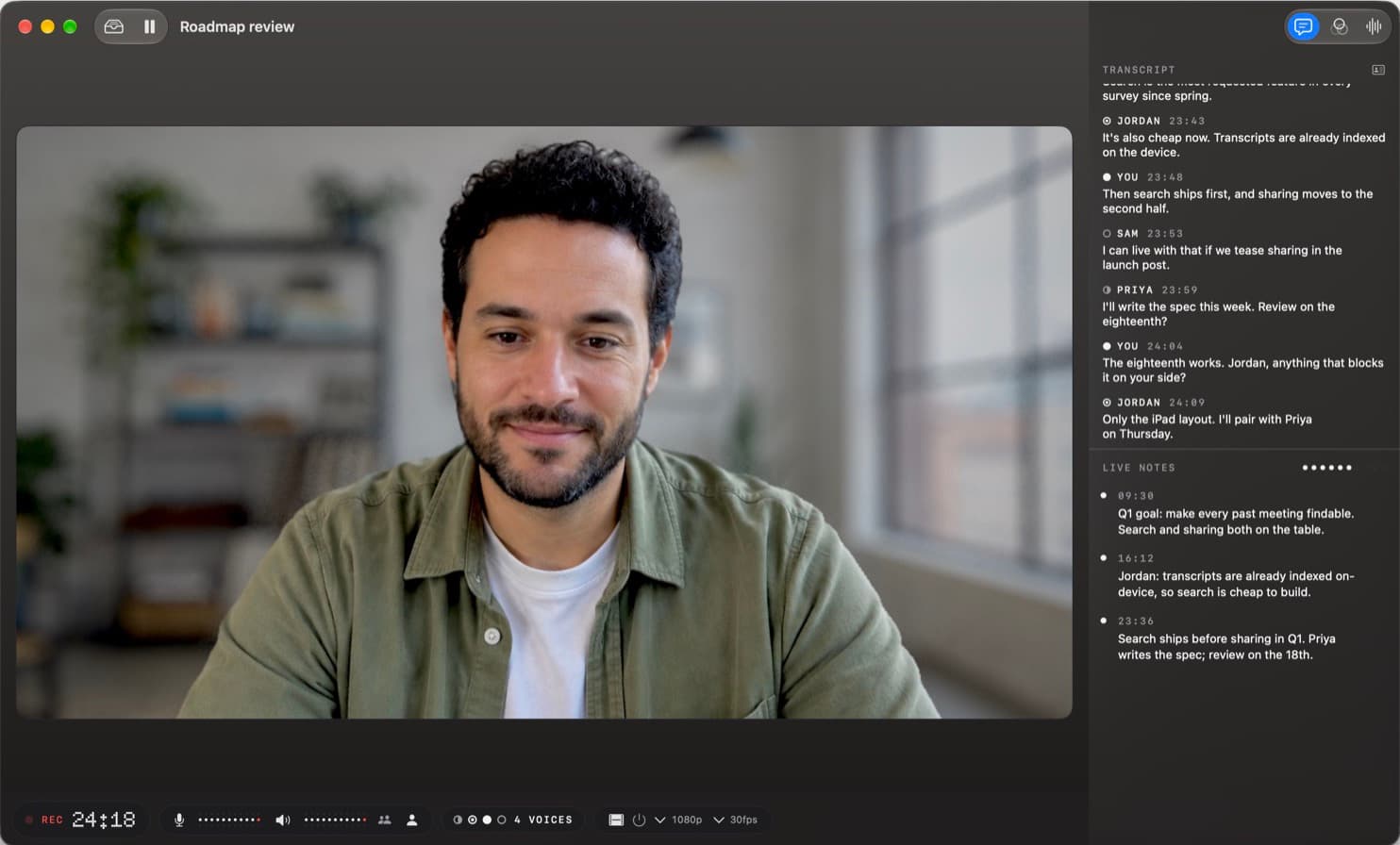
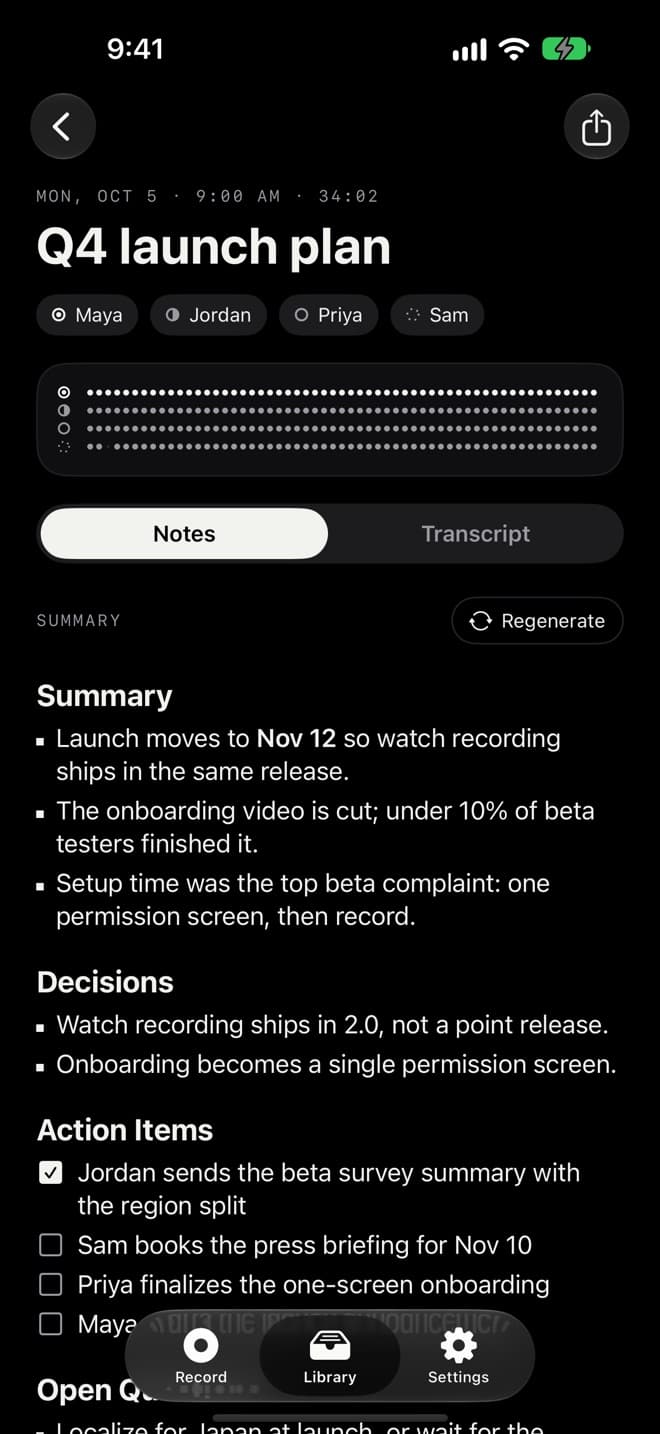
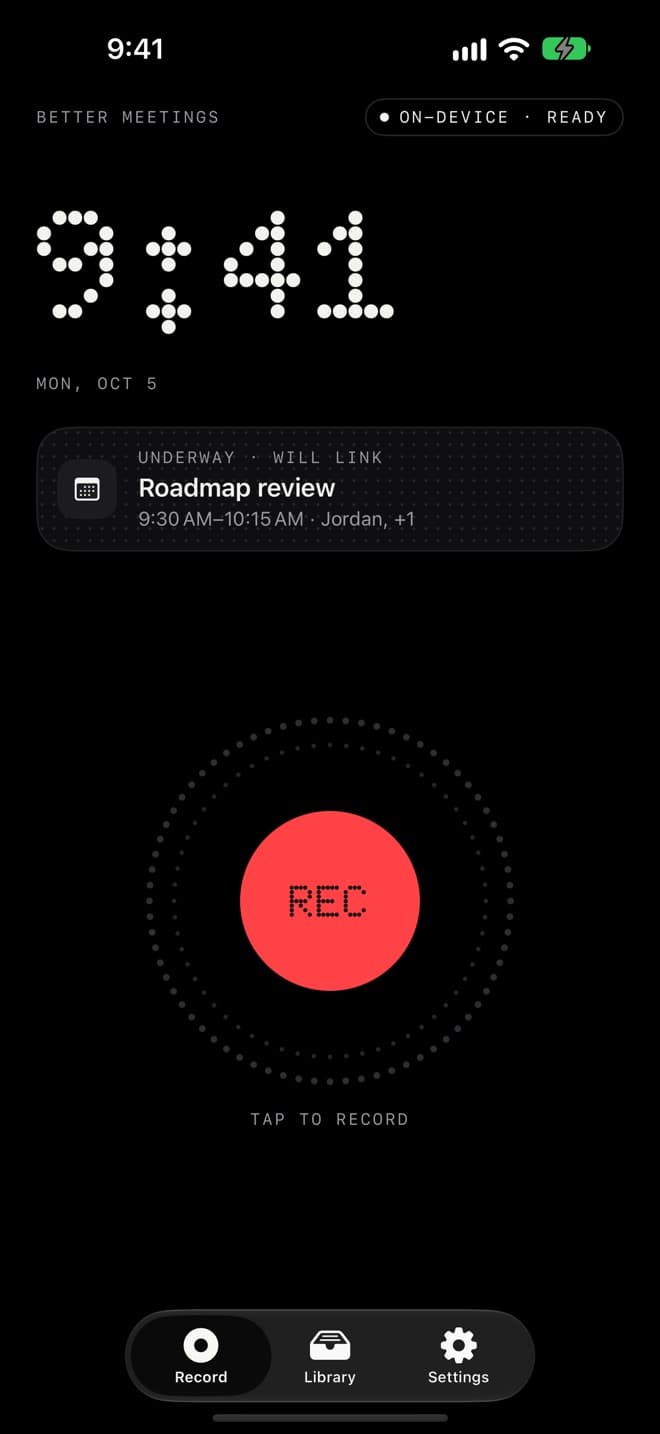
Record. Talk. Finish.
Hit record
On a Mac it hears your mic and the call. On iPhone it hears the room. On Apple Watch it's one tap on your wrist.
Transcribed on your device
The transcript is written as people talk, by a speech model on your own Mac or iPhone. With Apple Intelligence or cloud notes, key points show up during the meeting.
Notes when you hit Finish
A summary, the decisions and the action items, from Apple Intelligence or cloud notes. Everything lands in your Library, sorted by day and searchable.
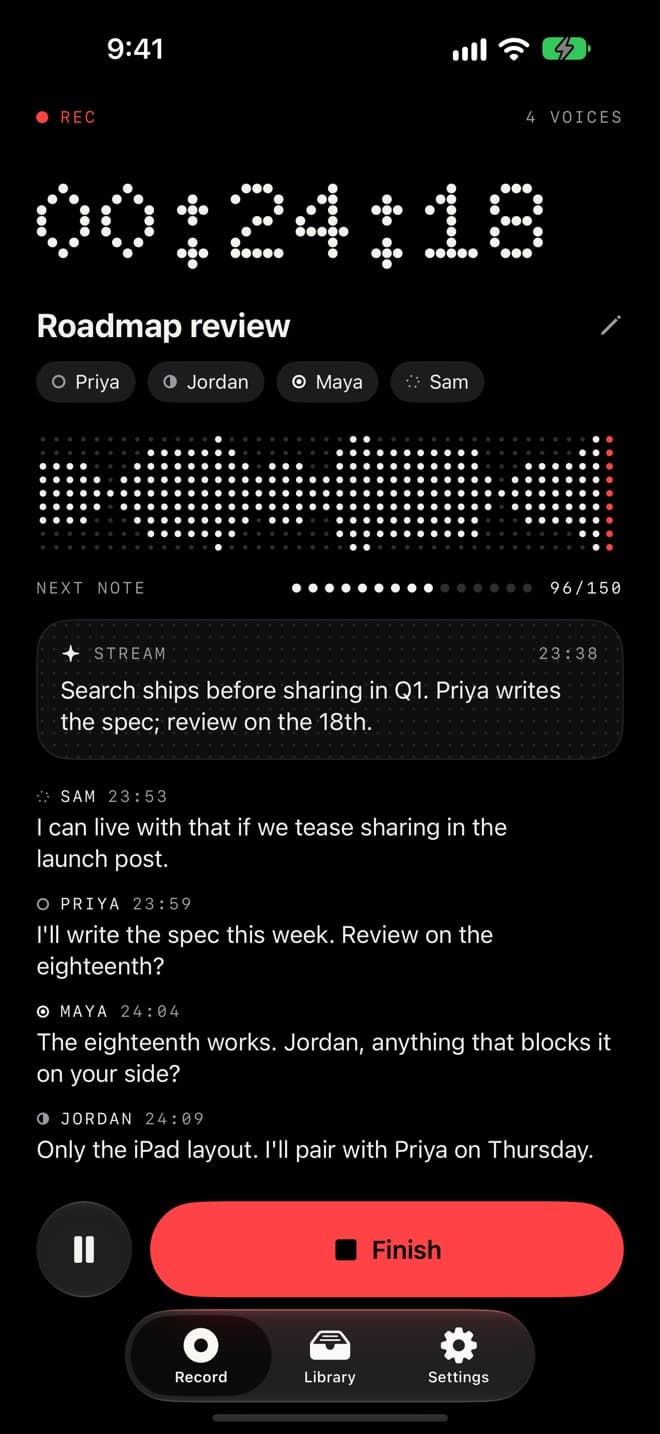
Glance down and see who said what.
Up to four voices are told apart, each with its own mark. Name them once and the transcript uses their name. With Apple Intelligence or cloud notes, what's been agreed shows up too.
- YOUThen search ships first.
- JORDANI'll pair with Priya on Thursday.
- PRIYAI'll write the spec this week.
- SAMI can live with that.
Wherever the meeting happens.
Mac
Records your mic and the call's audio from Zoom, Meet or Teams. Studio cleans up your camera and your voice before you join. Claude can read your meetings through the built-in MCP server.
iPhone
Put it on the table for in-person meetings. The speech model downloads once, then works without a connection.
Apple Watch
One tap to record when a phone on the table would feel odd. Your iPhone transcribes it, and writes the notes if you use Apple Intelligence or cloud notes.
We never upload your audio.
Transcription happens on your Mac or iPhone. We never upload your recordings.
On-device notes use Apple Intelligence on devices that have it, so nothing is sent anywhere.
Cloud notes send the transcript and the linked calendar event's details (title, time, location, notes and invitee names) to OpenAI, with Anthropic as backup, only after you agree. Never the audio or email addresses. We don't keep them after your notes are written. OpenAI and Anthropic may keep them for up to 30 days to check for abuse.
Free to record. Plus for more cloud notes.
- Unlimited recording and on-device transcripts
- Notes with Apple Intelligence on supported devices
- Cloud notes for 2 meetings a month, with a free account
- Library, search and Markdown export
- Cloud notes for 7 meetings a week
- Works with or without Apple Intelligence (Apple silicon Mac with macOS 26.4, or iOS 26)
- One subscription for Mac and iPhone, signed in with the same account
On iPhone you pay the App Store price for your country. Cancel anytime: on a Mac from Settings, on iPhone from your Apple account. A meeting over about 4 hours of talk counts as more than one.
Questions
Does anything join my call?
No. Better Meetings listens through your own device, so there's no bot in the participant list and no extra invite.
Do people know I'm recording?
Only if you tell them, so tell them. Nothing joins the call to announce it. Recording laws differ by state, province and country, and some places need everyone's consent.
Do I need an account?
Not to record or transcribe. Cloud notes need a free Aurochs account, and your OK before any transcript is sent. Sign in with the same account on your Mac and your iPhone and your plan works on both.
What happens offline?
Recording and transcription work as normal once the speech model has downloaded the first time. If cloud notes can't be reached, the app uses Apple Intelligence where it can, or writes the notes once you're back online.
Can I send notes somewhere?
Share any meeting as Markdown, or send it to Aurochs if that's where your team keeps notes.